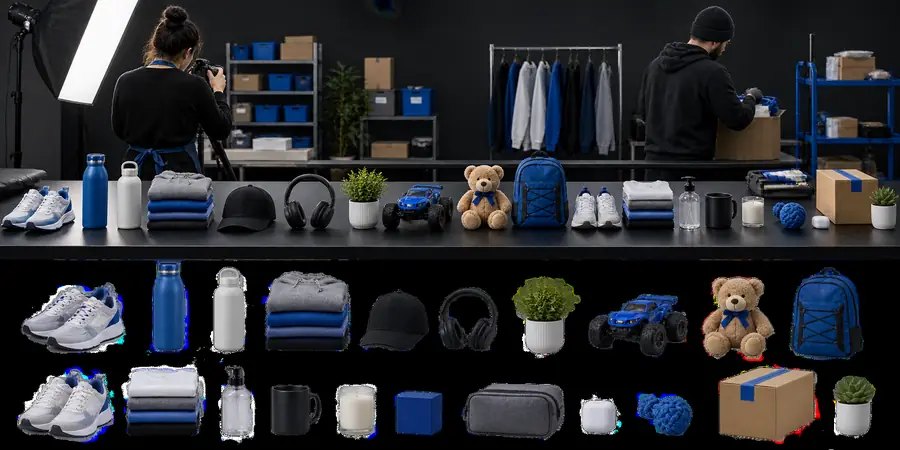
When several images need the same kind of cleanup, bg eraser bulk planning helps you organize the set, preserve consistency, and avoid repeating decisions one file at a time.
Bulk work is easier when you first identify whether you need a definition, an online route, or a practical example. These related pages give each decision its own context.
Split the work by image type
A useful bulk process does not treat every file as identical. These common cases show where a repeatable workflow can save decisions while still leaving room for visual review.
Product catalog teams
A catalog contains many items photographed against similar backgrounds but with different outlines, handles, or reflective surfaces.
Group similar images first, then check edges and shadows as a set instead of approving every file with the same assumption.
The safest approach is a short repeatable loop: prepare the set, process consistently, then inspect the exceptions before delivery.
1
Prepare and group
Collect the source images, remove obvious duplicates, and group files with similar subjects, framing, and background conditions.
2
Apply one visual standard
Define what the finished cutout should look like, including acceptable edge softness, retained shadows, and the intended background treatment.
3
Review the exceptions
Inspect hair, transparent objects, thin outlines, reflections, and unusual lighting separately instead of assuming every result is equally clean.
Limits and edges to plan for
Bulk processing can reduce repeated setup, but it does not remove the need for judgment. Plan for the cases where image content or delivery requirements differ.
Mixed subjects behave differently
A workflow that looks good on shoes may not suit glass, hair, foliage, or fine jewelry. Similarity within the set matters more than the file count.
WorkaroundCreate smaller groups by subject type and review one representative image from each group first.
Fine edges need inspection
Strands, thin wires, translucent material, and soft shadows can require closer review than solid product edges.
WorkaroundReserve an exception pass for detailed edges and compare the result against the original image.
Bulk does not define the final design
Removing a background does not automatically decide the replacement color, crop, spacing, or placement needed by a campaign.
WorkaroundSet the destination layout before processing so the cutout is judged in its real context.
Input quality still matters
Blur, compression, poor contrast, and objects blending into the background can limit the quality of any automated or repeatable workflow.
WorkaroundUse the clearest available source and flag weak inputs instead of hiding them inside the batch.
One-image editing or a set-based workflow
The right choice depends on how similar the images are and how much individual judgment each file needs. This comparison keeps the capability split visible.
Single-image editing
Set-based workflow
1
Best starting point
Single-image editing
One image with a specific visual question
Set-based workflow
Several related images with a shared cleanup goal
2
Main strength
Single-image editing
Detailed attention on one subject
Set-based workflow
Consistent decisions across a group
3
Preparation needed
Single-image editing
Minimal grouping
Set-based workflow
Clear grouping and a shared visual standard
4
Review pattern
Single-image editing
Inspect the complete result directly
Set-based workflow
Check a sample, then review exceptions
5
Risk to watch
Single-image editing
Spending too long on repetitive setup
Set-based workflow
Assuming every image has identical edge behavior
6
Useful output goal
Single-image editing
A polished individual cutout
Set-based workflow
A visually consistent collection of cutouts
Compare one result before approving the set
A before-and-after check makes the workflow concrete: the subject may be isolated successfully, but the edge, shadow, and intended placement still deserve a human look.
Before review
After review
Use one representative image to set the standard before checking the rest.
Turn a repeatable process into your next image set
Start with a small, visually similar group and use it to establish the standard for the rest. A careful sample-and-review loop is usually more reliable than treating bulk work as a single automatic decision.
These answers focus on the practical meaning of a bulk image workflow and the checks that keep a larger set consistent.
It refers to handling background-removal work across a related group of images rather than deciding on each file from scratch. The useful part is the shared preparation and review process, not simply the number of files.
No. Similar images can share a workflow, but subjects with hair, transparency, reflections, or unusual edges may need separate inspection. Grouping by visual characteristics is safer than forcing one rule onto every file.
Collect the clearest source files, remove duplicates, and group images with similar subjects, framing, and lighting. Decide the intended finished look before reviewing the results so the set is judged consistently.
Inspect representative images first, then focus on exceptions such as thin edges, loose hair, translucent objects, shadows, and low-contrast subjects. Also check whether the cutouts fit the destination layout, since background removal alone does not determine final composition.